In this guide
Getting startedConnect Claude Code or CodexYour first sessionThe Inbox and statusesBring in a session from another terminalPet StudioTerminal themesPrivacy and safetyTroubleshootingUninstallEveryday use · 3 min read
The Inbox and statuses
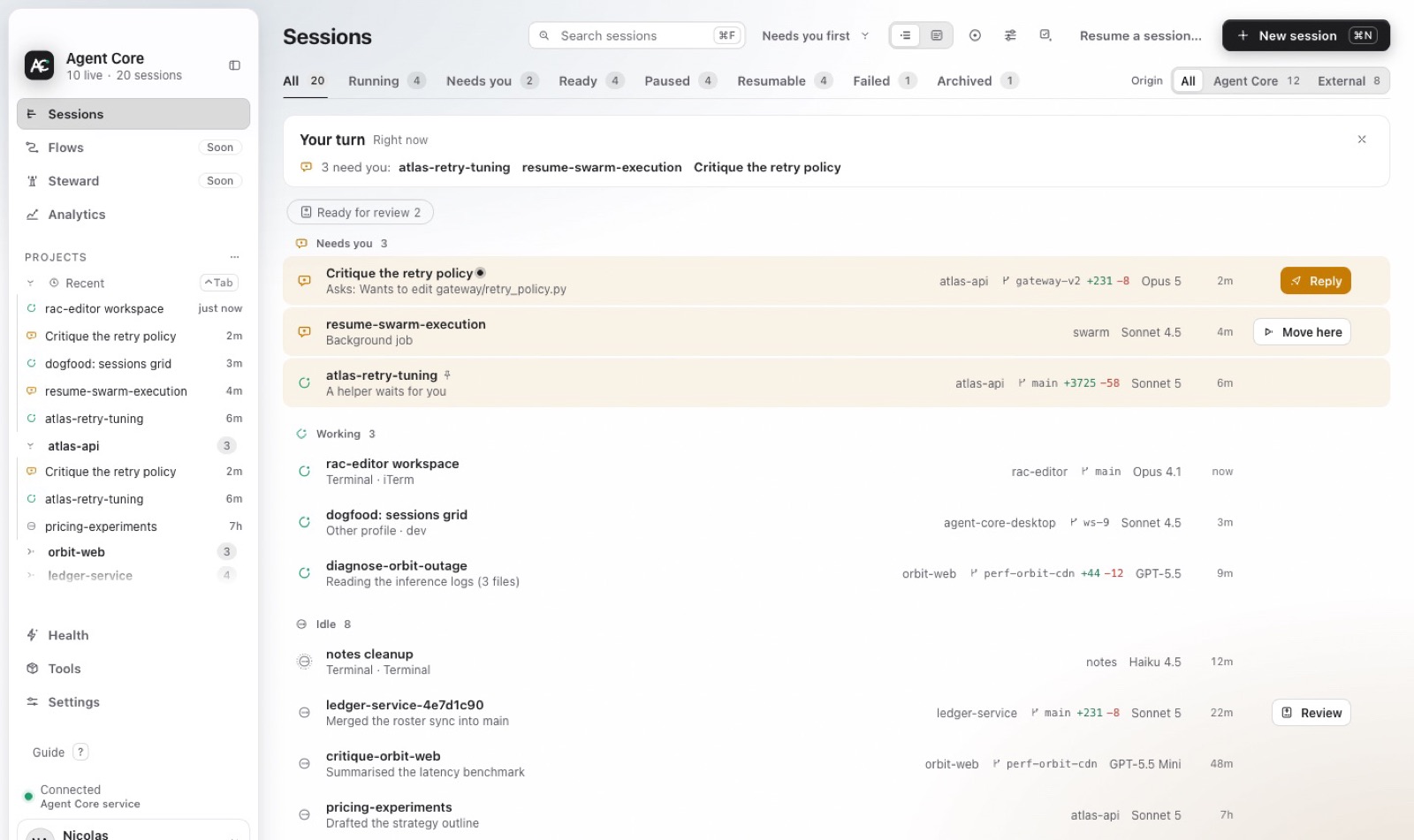
The Inbox sorts every session by what needs you. Each status says what decided it.
The four statuses
- Needs you
- The agent asked a question or wants approval. Reply or approve, and it continues. This is the only status that notifies you.
- Working
- The agent produced output recently. Leave it alone.
- Idle
- The agent is waiting at its prompt with nothing to do. Give it the next task, or leave it.
- Stopped
- The process ended. You can resume the conversation later from the same row.
Hover a status to see the signal that decided it, for example “approval prompt seen in pane”. If a status looks wrong, that line tells you why.
Your turn, notifications and the badge
At the top, Your turn sums up what happened while you were away and what needs you. The Dock badge counts the sessions that need you. Notifications arrive once per change, never as a repeating alarm.